Traffic Jam 3D Unblocked — Play Free Online
More Traffic Dodgers games

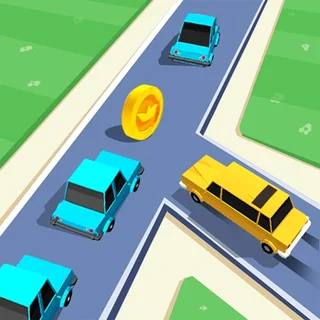
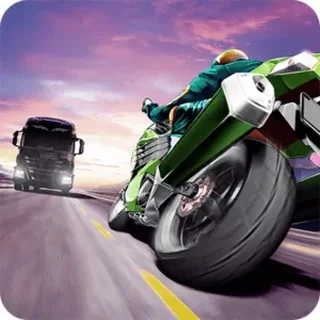
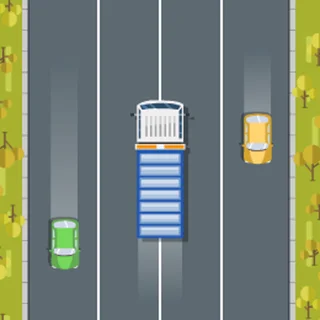






Traffic Jam 3D unblocked: play Traffic Jam 3D online free right here in your browser — no download, no sign-up, works on a school Chromebook.
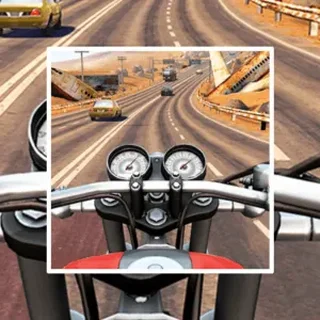
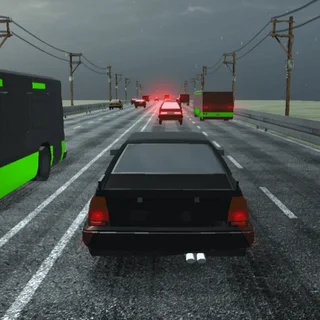
Traffic Jam 3D delivers high-speed highway driving where quick reflexes and precise positioning matter above all else. Instead of wide-open tracks, the game drops you straight into heavy multi-lane traffic packed with commuter cars, buses, and freight trucks. Your main objective is to weave smoothly through narrow openings, maintain top speed, and avoid high-impact pileups as the flow of vehicles thickens.
For players visiting Escape Road who enjoy tense driving challenges, Traffic Jam 3D offers a different flavor of adrenaline. While police pursuit games test your ability to break line of sight, this title challenges your forward focus and lane discipline under escalating speed pressure.
How to play
Steering is responsive and straightforward using standard desktop keyboard controls:
- Steer Left and Right: Left and Right Arrow keys or A and D to switch lanes and slip into tight gaps.
- Accelerate and Brake: Up Arrow or W to press the gas; Down Arrow or S to slow down when traffic suddenly bunches together.
- Nitrous Boost: Nitro (Shift or N, when charged) provides a burst of acceleration to clear overtaking windows quickly.
Each run rewards proactive driving rather than last-second swerving. Scan several car lengths ahead to spot openings before you reach them. Braking early to let a truck pass is often safer than forcing a risky squeeze into a closing gap.
Tips for high scores
- Master close overtakes: Skimming past neighboring vehicles at top speed triggers near-miss bonuses, boosting your score and reward earnings.
- Watch for brake lights: AI vehicles occasionally change lanes or tap their brakes without warning. Keep an eye on tail lights ahead to anticipate sudden slowdowns.
- Use momentum wisely: Tapping the brakes briefly stabilizes your steering when navigating between two parallel trucks.
- Invest in handling upgrades: Stiff handling leads to oversteering crashes. Upgrading handling and braking in the garage gives you much tighter control in dense traffic.
Similar games on Escape Road
If you enjoy the fast-paced driving loop of Traffic Jam 3D, check out other popular titles in the driving catalogue. Highway Traffic provides a similar endless lane-weaving challenge with multiple camera perspectives. For pure vehicular combat and explosive action, Road Fury and Freeway Fury let you jump across car roofs or shoot through blockades. Meanwhile, the headline game Escape Road tests your evasive maneuvering against persistent police pursuit across dynamic city streets.
Questions about Traffic Jam 3D
Is Traffic Jam 3D unblocked at school?
Traffic Jam 3D runs in an ordinary browser tab from escaperoad.us.com, with nothing to download or install, so it plays on most school Chromebooks and work computers. If a network filter blocks the site, only that network's administrator can change it.
What are the primary controls for Traffic Jam 3D?
Use the Arrow keys or WASD to steer left and right, accelerate forward, and brake. Press Shift or N to trigger nitrous boost when available.
Can I upgrade or unlock new cars in Traffic Jam 3D?
Yes. Completing runs and scoring near-miss overtakes earns in-game cash that you can spend on faster vehicles, improved handling, and stronger brakes.
How do near-miss bonuses work in the game?
Passing close to other vehicles at high speed without crashing awards near-miss bonus points and extra currency to boost your round total.
Does Traffic Jam 3D require any download or installation?
No. The game runs directly in any modern desktop or mobile web browser with no downloads, plugins, or account registration required.